TV weight, wall studs & safe mounting basics
Quick answer
Use the TV's weight without the stand (the number on our model pages), keep it at or below 80% of the mount's rating, and anchor into wall studs following the mount manufacturer's instructions. Modern TVs run roughly 15–50 lb between 43 and 65 inches; 75-inch and larger panels can exceed 60 lb and generally call for two-stud mounts.
What TVs actually weigh (without the stand)
| Screen size | Typical range | Verified examples from our database |
|---|---|---|
| 43" | 15–20 lb | Samsung UN43TU7000 — 17.9 lb |
| 55" | 22–35 lb | TCL 55S455 — 22 lb · LG OLED55C3PUA — 31.1 lb |
| 65" | 30–50 lb | TCL 65S455 — 30.9 lb · Sony KD-65X80K — 47.8 lb |
| 75"+ | 55–100 lb | Two-stud territory; check the exact model page |
Spec sheets list weight with and without the stand — mounts care about the without number.
Why we apply a 20% margin
A mount's rating assumes a static load, perfect anchoring and a perfectly level install. Real installs add dynamic loads: cable tugs, tilt adjustments, cleaning, curious kids. Keeping the TV at or below 80% of the rating (our fit checker enforces this) absorbs those unknowns. Example: a 50 lb TV → minimum rating of 50 ÷ 0.8 = 62.5 → 65 lb.
Studs: find, confirm, then drill
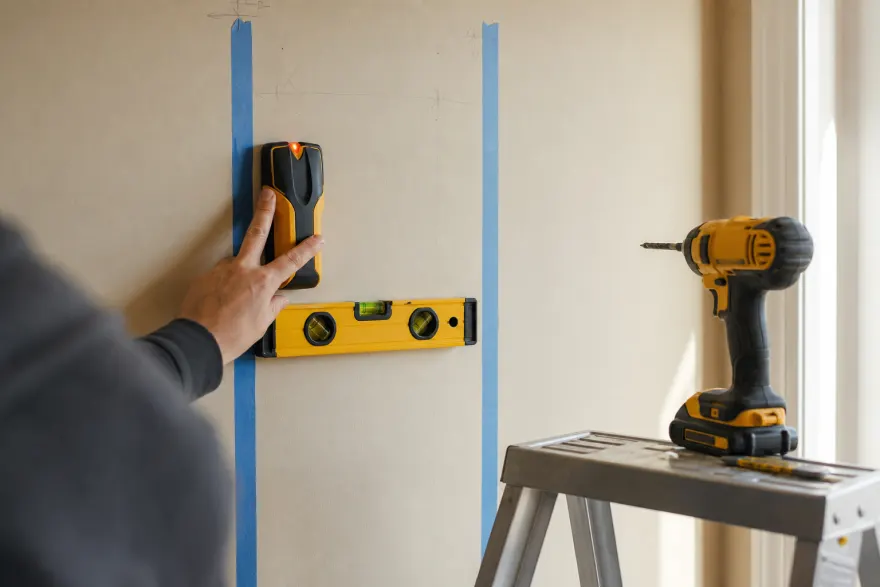
- Locate with an electronic stud finder; expect 16-inch (sometimes 24-inch) centers.
- Confirm the neighbor stud at the expected spacing, mark both edges of each stud, and target centers.
- Verify with a thin test drill or awl before driving the mount's lag bolts — a finder can false-positive on pipes and wiring straps. Then follow the mount's torque and hardware instructions exactly.
Drywall, brick, and everything that isn't a stud
Drywall alone crumbles around fasteners under shear plus leverage — standard plastic anchors are not appropriate for TVs, period. Some mounts are engineered and certified for specific no-stud systems with their own rated anchors; that is the only no-stud case we'd consider, and only exactly as the mount manufacturer documents it. Masonry, concrete and metal studs each need their own anchor types — check the mount's manual for approved hardware, and when your wall doesn't match anything the manual lists, ask a professional installer rather than improvising.
Double-check before drilling
- TV weight (no stand) ≤ 80% of the mount rating — the exact number is on your TV's model page.
- Both lag bolts per stud land in stud centers, not edges.
- No wiring or plumbing behind the drill points (finders with AC detection help; test-drill shallow first).
Frequently asked questions
How much weight can a TV mount hold?
Whatever its manufacturer rates it for — typical ranges are 60–150 lb — but only when anchored exactly as its instructions require. We recommend keeping the TV at or below 80% of the rating: a 45 lb TV pairs with a mount rated 60 lb or more. The wall anchoring, not the steel, is almost always the weak link.
Can I mount a TV without hitting a stud?
Only if the mount manufacturer explicitly supports it and supplies or specifies the anchor system (e.g. rated toggle anchors in the mount instructions), and your wall type matches. Standard drywall anchors and stick-on solutions are not appropriate for TVs. When in doubt, hit studs or use a stand.
How do I find studs reliably?
An electronic stud finder plus confirmation: studs typically sit on 16-inch centers (sometimes 24), so after the first hit, check for the next one 16 inches away. Confirm with a thin test drill or awl before running lag bolts. Edges lie — mark both edges of the stud and bolt into its center.
Do full-motion mounts need stronger anchoring than fixed mounts?
Yes in practice. An extended articulating arm multiplies leverage on the top fasteners — a 40 lb TV on a 20-inch arm pulls far harder than the same TV flat against the wall. That's why most full-motion mounts of 55 inches and up require two studs; follow the mount's stud spacing exactly.
Sources
- Mount manufacturers' installation manuals (anchoring requirements and ratings are mount-specific — always follow them).
- Per-model TV weights cited on each model page from manufacturer documentation.
Check a specific pairing — with the margin math done for you — in the Will It Fit checker.