iMac, Studio Display & Mac mini on VESA mounts: Apple's adapter maze
Quick answer
No Apple display ships with exposed VESA holes — each gets to the standard 100×100 mm pattern its own way. The 24-inch iMac must be ordered as the build-to-order VESA configuration (it ships without a stand and can't be converted later). The Studio Display offers a VESA mount adapter configuration at purchase — 12.1 lb for the 2022 model, 11.9 lb for the 2026 refresh. The Pro Display XDR takes a separate Apple VESA adapter. Mac mini and Mac Studio have no VESA at all and rely on third-party brackets. Details and Apple's own documents below.
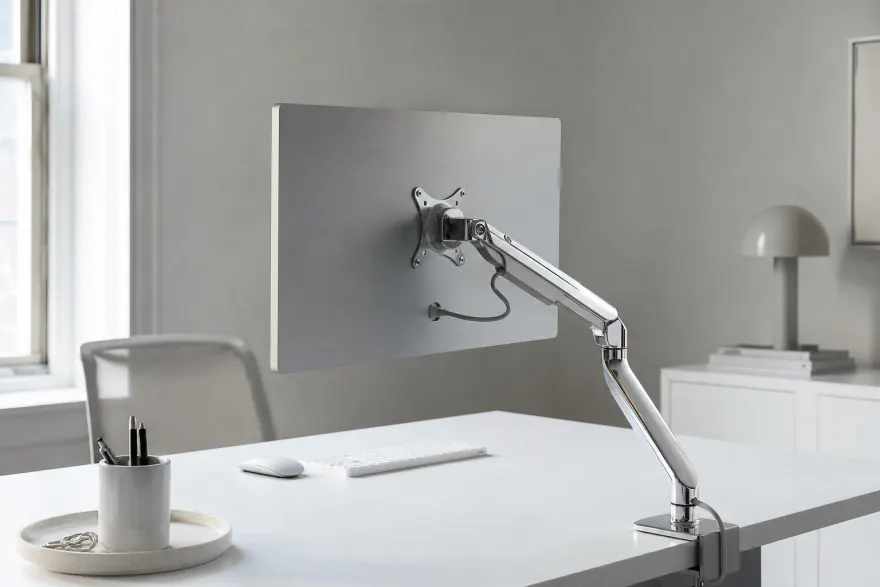
Every Apple device, its VESA route
| Device | VESA route | Pattern | Convertible later? |
|---|---|---|---|
| iMac 24" (M1/M3/M4) | Build-to-order VESA configuration, ships without stand | 100×100 (M4 x 0.7) | No — stand is not user-removable |
| iMac 21.5"/27" (Late 2009–Mid 2011) | Apple VESA Mount Adapter Kit (discontinued — second-hand only) | 100×100 | Yes — kit installs on a standard unit |
| iMac Pro (2017) | Separate iMac Pro VESA Mount Adapter kit | 100×100 | Yes — user-installable per Apple's instructions |
| Studio Display | VESA mount adapter configuration chosen at purchase | 100×100 | Not by the user — see below |
| Pro Display XDR | Apple VESA Mount Adapter (separate accessory) | 100×100 | Yes — adapter attaches to any unit |
| Mac mini / Mac Studio | No VESA — third-party enclosure brackets | via bracket | — |
| MacBook | No VESA — vertical desk docks / arm-mounted laptop trays | — | — |
iMac: decide at checkout, not after
Apple sells the 24-inch iMac VESA configuration as its own build-to-order variant that ships with no stand and a built-in mount interface. Apple's setup guide specifies the 100×100 mm FDMI pattern with M4 x 0.7 mm screws — the same spec as most monitors in our database. On consumer iMacs from Late 2012 onward the standard stand is not user-removable (the 2017 iMac Pro, with its user-installable adapter kit, is the lone exception), so the decision is one-way: a stand iMac stays a stand iMac. Buying used? "VESA-ready" units are the rarer configuration and worth confirming in photos before paying.
Studio Display: three configurations, one pattern
At purchase you pick tilt stand (30° of tilt), tilt-and-height stand (adds 105 mm of travel), or the VESA mount adapter configuration — compatible per Apple with any 100×100 mm wall mount, desk mount, stand or articulating arm, in landscape or portrait. Weights differ by generation: the 2022 model is 12.1 lb (5.5 kg) in VESA form (13.9 lb tilt stand, 16.9 lb tilt-and-height), the 2026 refresh 11.9 lb (5.4 kg). Apple's fine print says stands and the VESA adapter are not interchangeable by the user; Apple has indicated that an Apple Store or authorized service provider can perform a configuration swap after purchase, so a wrong pick is recoverable — budget a service visit rather than a DIY afternoon. For arm shopping, apply the usual margin: roughly 12 lb wants a rating of at least 16 lb (how to pick an arm).
Pro Display XDR and the computers
The Pro Display XDR has no built-in mounting holes: it attaches to third-party mounts only via Apple's Pro Display XDR VESA Mount Adapter (a separate accessory), which presents the standard 100×100 mm pattern. Mind the mass — Apple lists the panel at 16.49 lb (7.48 kg) before the mount's own hardware.
Mac mini and Mac Studio have no mounting provision at all; the working category is third-party enclosure brackets that hold the computer under a desk, on a wall, or sandwiched behind a monitor's VESA holes so the screen stays mountable — covered with the other VESA accessories. MacBooks mount via vertical desk docks or an arm-mounted laptop tray, not VESA holes.
Double-check before buying
- New iMac or Studio Display: choose the VESA configuration at checkout — it's a different SKU, not an accessory.
- Used iMac: confirm the VESA interface in photos; post-2012 stand models cannot be converted.
- Arm ratings: 12.1 lb (Studio Display VESA) and heavier iMacs both want quality arms — check the printed per-screen rating, not the marketing size range.
- Older iMacs: match the exact model year to the right Apple adapter kit before buying one second-hand.
Frequently asked questions
Can I add a VESA mount to an iMac after buying it?
Not on current models. The 24-inch iMac's VESA version is a build-to-order configuration that ships without a stand — the standard stand is not user-removable, so a stand-equipped iMac can't be converted later. The exceptions are older machines: iMacs from Late 2009 to Mid 2011 take Apple's VESA Mount Adapter Kit, and the 2017 iMac Pro had its own user-installable adapter kit.
What VESA pattern do Apple displays use?
The standard 100×100 mm pattern across the line: the iMac VESA configuration (Apple's setup guide specifies M4 x 0.7 mm screws), the Studio Display VESA configuration, and the Pro Display XDR via its adapter. Any arm, stand or wall mount listing 100×100 mm fits — subject to its weight rating.
How much does the Apple Studio Display weigh without a stand?
Per Apple's specifications, the original 2022 Studio Display weighs 12.1 lb (5.5 kg) in the VESA mount adapter configuration (13.9 lb with the tilt stand, 16.9 lb with the tilt-and-height stand); the refreshed 2026 model is 11.9 lb (5.4 kg) in VESA form. With our 20% margin rule, an arm for either should be rated for at least 16 lb.
Will a normal monitor arm hold an iMac or Studio Display?
Yes, if its rating clears the device: the Studio Display's roughly 12 lb VESA weight sits inside the typical 9–20 lb per-screen range of quality desk arms, but budget arms rated under 15 lb are out. The iMac adds the computer to the panel, so check the arm's rating against Apple's tech-spec weight for your exact model, and prefer arms listing the screen size explicitly.
How do I mount a Mac mini or Mac Studio?
Neither has VESA holes, and Apple sells no bracket — the established fix is a third-party enclosure bracket that holds the computer under the desk, on a wall, or sandwiched behind a monitor's own 100×100 holes so the screen stays mountable. Match the bracket to the exact model and count its weight toward the arm's rating.
Sources
- Apple — iMac with VESA Mount Adapter (build-to-order page) apple.com
- Apple — iMac with VESA Mount Adapter setup guide (100×100 mm, M4 x 0.7 screws) cdsassets.apple.com
- Apple — VESA mounting on 21.5/27-inch iMacs (Late 2009–Mid 2011) support.apple.com
- Apple — iMac Pro VESA Mount Adapter instructions cdsassets.apple.com
- Apple — Studio Display technical specifications (stand options, weights) apple.com
- Apple — Studio Display (2022) VESA mount adapter configuration (100×100 mm, 12.1 lb) support.apple.com
- Apple — Studio Display (2026) technical specifications (11.9 lb VESA configuration) support.apple.com
- Apple — Pro Display XDR VESA Mount Adapter support.apple.com
Non-Apple screens are simpler: check any model in the verified monitor database, or read the monitor arm & stand guide.