VESA monitor mounts: sizes, arms, stands & adapters
Quick answer
Computer monitors use the same VESA standard as TVs, just smaller: almost all VESA-mountable monitors carry a 75×75 or 100×100 mm hole pattern with M4 screws (typically M4 x 10 mm). Any monitor arm, stand or wall mount listing those patterns fits; screens without rear holes need a clamp-on adapter kit, and iMacs need Apple's own VESA adapter. Check the weight rating — desk arms usually carry about 9–20 lb per screen. Per-model verified specs live in the monitor database.
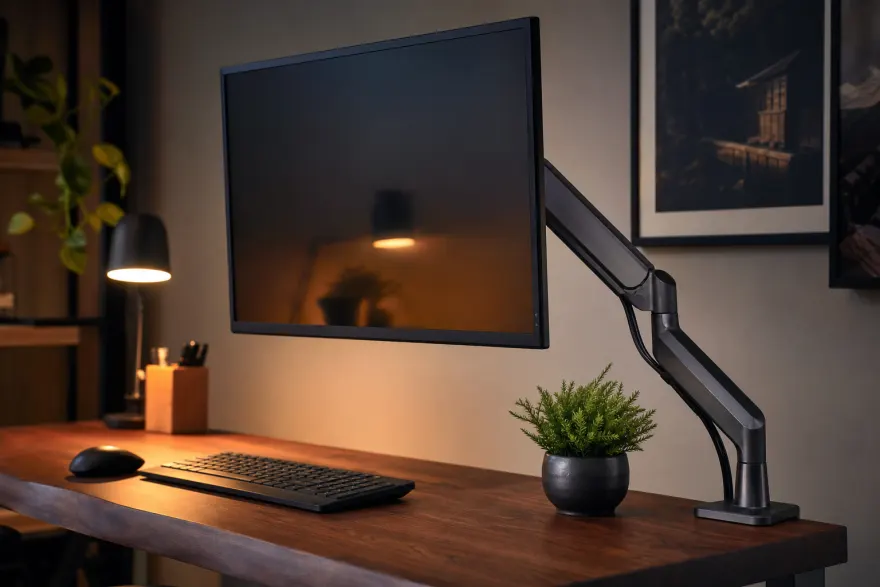
Monitor VESA size chart
| Pattern (mm) | Screws | Typical screens |
|---|---|---|
| 75×75 | M4 | Portable and compact monitors up to ~24" |
| 100×100 | M4 | The default for 21–34" monitors, incl. most ultrawides |
| 200×100 | M4/M6 | Some large ultrawides and 40"+ format displays |
| 200×200 | M6 | Large-format displays crossing into TV territory — see the 200×200 hub |
The full standard, from monitor sizes up to 800×400 mm TVs, is explained in What is VESA. Measuring works the same as on a TV — center-to-center, in millimeters (2-minute guide).
Arm, stand or wall mount — pick by desk, not by brand
- Desk-clamp arm: frees the whole footprint, adjusts height/tilt/rotation, needs ~4 in of clear desk edge for the clamp. Best for sit-stand desks and dual setups.
- VESA monitor stand: a heavier freestanding base that replaces a flimsy factory stand — no clamping, no drilling, moves with you.
- Wall mount: the same small fixed/articulating brackets used for small TVs; our 100×100 hub shows what carries that pattern.
Whichever form factor: the holes must match (75×75/100×100), and the monitor's weight — usually 6–15 lb for a 24–32" panel — must sit inside the mount's rating. Ultrawides and thick gaming monitors run heavier; check the spec sheet number without the stand.
No VESA holes? Adapters cover most cases
Thin-bezel and portable monitors often skip threaded holes. Two honest fixes:
- Clamp-on adapter kit — grips the top and bottom edges and provides a standard 75×75/100×100 plate. Match the kit's supported panel thickness and weight, and keep vents uncovered.
- Manufacturer adapters — iMacs take Apple's factory VESA mount adapter (built-to-order iMacs can ship VESA-ready without a stand); several all-in-ones have similar first-party kits. Check the maker's accessories page before buying generic — the full Apple picture is in the iMac & Studio Display VESA guide.
- 75-to-100 conversion plates — a flat plate that bridges a 75×75 mm monitor to a 100×100-only arm plate (or the reverse). Rarely needed, since most arms list both patterns — check the arm's spec before adding hardware.
Popular monitors confirmed to ship without VESA holes
These models generate a steady stream of "how do I mount it" questions; each was checked against the manufacturer's own documentation or support channels (sources below):
| Model | Status | Mounting route |
|---|---|---|
| Dell SE2419H / SE2719H (incl. HX) | No holes; no first-party adapter | Third-party clamp-on kit; the user guide has no wall-mounting section |
| HP ENVY 27s | No built-in holes | HP's snap-on bracket (part 911361-001) is discontinued — a clamp-on kit is the remaining route |
| Acer SB220Q / R240HY | No holes; Acer sells no adapter | Third-party clamp-on bracket sized for the panel |
| Lenovo L24q-10 | Lenovo's spec sheet: "VESA mount: No" | Third-party clamp-on kit (the Q27q-10, often confused with it, does have 100×100 — see its page) |
| ViewSonic VX2776-smhd | Product page: not VESA compatible | Clamp-on kit — or note the VX2776-4K-mhd sibling does carry 100×100 (verified specs) |
Double-check before buying
- Confirm the exact pattern (75×75 vs 100×100) and that your arm lists it — most list both.
- Weigh the spec: monitor weight without stand vs the arm's per-screen rating.
- M4 screw length: too long bottoms out on thin panels — hand-test, same rule as with TV screws.
- Desk clamp needs a solid edge; glass and thin veneer desks call for a grommet mount or a freestanding base.
Frequently asked questions
How do I know if my monitor is VESA compatible?
Look at the back: a VESA-mountable monitor has 4 threaded holes in a 75×75 or 100×100 mm square, sometimes under plastic caps or a snap-off panel. The spec sheet states it as "VESA 100×100" or "VESA mount: yes". No holes and no removable panel usually means a non-VESA design that needs an adapter kit.
What VESA size do computer monitors use?
Two sizes cover almost everything: 75×75 mm on compact and portable screens and 100×100 mm on most 21–34-inch monitors, both with M4 screws (FDMI MIS-D). Large-format and some ultrawide displays step up to 200×100 or 200×200 mm — check the spec sheet before buying an arm.
What screws do VESA monitor mounts use?
M4 metric screws, typically 10 mm long — the spec you'll see written as "M4 x 10". Curved-back monitors may need longer M4 bolts plus the spacers that come with the arm. TVs are different: they move to M6 and M8 threads, covered in our VESA screw size guide.
Can I mount a monitor that has no VESA holes?
Often yes, with a clamp-on non-VESA adapter kit that grips the panel edges and provides a 75×75/100×100 plate — check the kit's supported thickness and weight. iMacs are the special case: Apple sells a factory VESA mount adapter, and built-to-order iMacs can ship with it instead of the stand.
Monitor arm, stand or wall mount — which one?
Same holes, different furniture. A desk-clamp arm frees the whole footprint and adjusts in every axis; a VESA stand is a drop-in replacement for a wobbly factory base; a wall mount clears the desk entirely but fixes the height. Whatever you pick, keep the monitor's weight within the mount's rating — arms typically list roughly 9–20 lb per screen.
Sources
- VESA FDMI (MIS-D) standard — 75/100 mm patterns and M4 thread vesa.org
- Apple — VESA mount adapter documentation for iMac support.apple.com
- Lenovo PSREF — L24q-10 spec sheet ("VESA mount: No") psref.lenovo.com
- ViewSonic — VX2776-smhd product page (no VESA mounting) viewsonic.com
- Dell — SE2719H user guide (no wall-mounting section) dl.dell.com
- HP support community — ENVY 27s VESA mounting (bracket 911361-001) h30434.www3.hp.com
- Acer community — SB220Q mounting brackets (no VESA holes) community.acer.com
Look your screen up in the verified monitor database. TV side of the standard: what VESA means, the per-model VESA checker, and the M4/M6/M8 screw guide.